QR Scanner
- 3.7
- Rating
- 10.00M
- Installs
- Free
- Price

 Analysis by App-foxy
QR scanning sounds like a tiny task, but the experience can become surprisingly awkward when the lighting is poor, the camera must be held at an uncomfortable angle, or the result needs to be understood quickly. I spent time using QR Scanner from P & L Studio as a practical tools app rather than treating it as a novelty. My overall impression is straightforward: it is a free, focused option for people who want to point a phone at a code and move on, although its simplicity also means it does not replace a full-featured camera or a dedicated accessibility-oriented workflow.
The app has reached over 10 million installs and holds a 3.9 average from around 46 thousand ratings, with roughly 2.4 thousand written reviews. Those figures suggest that it is familiar to a large Android audience, but they also leave room for a realistic conclusion: this is a useful everyday utility, not an app I would choose solely because it promises a flawless experience for every user or every environment.
How readable and easy to navigate is it?
The main appeal is the narrow purpose. QR Scanner is designed around scanning and decoding QR codes, so I do not have to work through a large collection of unrelated tools before reaching the camera view. That directness matters for occasional users, older family members, or anyone who becomes frustrated by crowded interfaces. When a code is printed on a menu, parcel, notice, or ticket, the best scanner is often the one that gets out of the way.
You May Also Like

 Blood Strike: 2.5 Anniversary
Blood Strike’s Loadouts Turn Every Drop Into a Tactical Gamble
A close look at Blood Strike’s custom loadouts: how fast access to signature weapons reshapes its battle royale rhythm, rewards preparation, and narrows the gap between fights.

 Pandora - Music & Podcasts
Pandora’s Music Is Easy to Start, but Harder to Recover
Pandora’s strength is its low-effort path from a seed to a station. Its weak spot is how much confidence it asks you to place in connection, setup, and quiet recovery.

 8 Ball Pool
 Is Built on Rivalries, Rematches, and Routine
A close look at the rivalries, rematches, shared routines, and unanswered safety questions that turn a quick pool match into a persistent mobile community.

 Samsung Music
’s Quiet Strength Is Playing What You Already Own
Its reach comes less from spectacle than from dependable access to a personal library. That simplicity is both the app’s strongest retention engine and its ceiling.

 AccuWeather: Weather Radar
AccuWeather Review: A Quick, Clear Forecast for Everyday Decisions
For everyday plans, the best forecast is the one you can understand quickly. AccuWeather makes rain timing, radar, and local conditions easy to act on, with a few trade-offs.

 Hill Climb Racing
Why Hill Climb Racing Still Turns Crashes Into One More Run
A tiny car, a bumpy hill and one more upgrade: Hill Climb Racing keeps resurfacing because its simple chaos makes every near-miss feel personal.
More From Our News Desk
View All News


I also like that the app belongs to the tools category rather than trying to turn a simple action into a social or shopping experience. Its store short description is simply “QR Scanner,” and that accurately reflects the product’s role. I would not install it expecting a document manager, a password vault, or a complete digital assistant. I would install it when I want a dedicated place to decode a code without learning a complicated system.
For readability, the important question is what happens after the scan. A QR code may contain plain text, contact details, a website address, or another piece of encoded information. The useful result is not merely recognizing the pattern; it is presenting the decoded content clearly enough that I can decide what to do next. In my view, a simple scanner is most successful when it keeps that moment calm and understandable instead of pushing several confusing actions at once.
That simplicity can help people who prefer low cognitive load. Someone who rarely uses QR codes does not need to remember a multi-step process. Open the app, position the code, wait for recognition, and inspect the result. I would still recommend taking a moment to read any destination before opening it, especially when the code appears on an unfamiliar poster or in a public place. Fast scanning should not mean automatic trust.
There is a practical distinction between a clean interface and an accessible one. A sparse layout may reduce distractions, but it does not automatically guarantee that every label, button, or result is comfortable for every reader. Users with low vision may need larger system text or display scaling, while people with color-vision differences should not have to rely on color alone to understand whether a scan succeeded. I cannot treat the app as having a formal accessibility certification, but its focused purpose gives it a better starting point than a cluttered all-in-one utility.
What I would check before relying on a result
My first habit is to pause after recognition and read the decoded content rather than tapping the first prominent action. This is particularly useful with links. A short, familiar web address is easier to judge than a long or unexpected one, and the scanner should be treated as a reader, not a security guarantee. The app can decode what is in the code; it cannot make an unknown destination trustworthy.
I also find it helpful to hold the phone steady for a moment instead of moving it constantly. People with limited hand control may naturally make small corrections, but excessive movement can make any camera scanner struggle. Resting an elbow on a table, placing the phone against a stable surface, or asking another person to hold the code can make the task less tiring. These are simple adjustments, yet they often matter more than switching between several similar scanner apps.
For a household, the app can be useful in a shared-device routine. A family member who is comfortable with the camera can scan a code, then enlarge or read the result aloud for someone else. That is not a replacement for independent access, but it is a realistic way to make a printed code usable when the person holding the phone has difficulty with small visual targets or precise positioning.
Motor, visual, and sensory considerations
QR scanning is inherently visual and camera-based. The user must find the code, align the phone, keep enough of the pattern visible, and wait for recognition. That creates a motor demand that is easy to overlook. People with tremors, joint pain, reduced grip strength, or one-handed use may find the process more difficult than someone with stable two-handed control. The app’s focused purpose helps by reducing navigation, but it cannot remove the physical need to aim a camera.
I would approach the task in stages. First, place the printed code on a flat surface if possible. Next, bring the phone to a comfortable distance rather than stretching the arm toward a wall or counter. Finally, move slowly until the entire code is visible. This workflow is more reliable than repeatedly waving the phone around, and it reduces fatigue for users who cannot hold their arms up for long.
Lighting is another important factor. Glare on glossy paper, deep shadows, and a bright screen behind the code can all make scanning harder. If a code is on a reflective menu, tilting the paper slightly may help more than tilting the phone. If it is displayed on another screen, lowering that screen’s glare or changing its angle can improve the contrast. These are not special app features; they are practical ways to work with the camera that I would use before deciding the scanner is failing.
People with low vision may face two separate challenges: locating the code and reading the decoded result. A large, high-contrast printed code is easier to frame than a tiny one surrounded by visual clutter. After scanning, system magnification or text enlargement may help with the result, but the comfort of that experience depends on the phone and operating system as well as the app. I would test the complete sequence, not just the camera view, before recommending it to someone who depends on enlarged text.
Users who are sensitive to sudden visual changes or who prefer predictable interfaces may appreciate the app’s narrow role, but scanning still involves camera movement and an immediate result. The most comfortable approach is to use it in a quiet setting, with the phone already unlocked and the code positioned clearly. In a busy shop or crowded station, the same task can become stressful because people are waiting and the user has less time to adjust.
One non-obvious trade-off is that a dedicated scanner can be easier to explain than a general camera, yet it may offer less flexibility than the camera app already installed on many phones. Modern phone cameras sometimes recognize codes from a still image or from the camera view, which can be preferable for users who need familiar controls, voice guidance, or a larger preview. On the other hand, a dedicated tool removes some of the unrelated camera functions that can distract a person who only wants to decode a code.
A realistic everyday test
Imagine receiving a paper notice with a QR code for an appointment form. I would place the notice flat on a table, open QR Scanner, and position the phone so the whole code sits inside the camera view. If my hands were unsteady, I would rest the phone lightly against a book or ask someone to hold the notice rather than forcing both objects into the air. Once the content appears, I would read the address carefully before opening it and then use the phone’s normal text-size or magnification tools if the page is difficult to read.
This scenario shows where the app is useful and where it is not. It can simplify the act of decoding the printed pattern, but it cannot make a poorly designed web form accessible, enlarge a tiny printed code, or explain an unfamiliar service. The scanner is one step in a larger process. I would judge it by whether that step is quick and understandable, not by whether it solves every problem that follows.
Using it in difficult places and different contexts
Situational access is just as important as permanent disability. A person may have full vision and steady hands at home but struggle to scan while carrying groceries, wearing gloves, standing on a moving platform, or working under harsh outdoor light. In those situations, the app’s value comes from reducing the number of decisions between opening it and reaching the scan view.
For travel, I would use it for codes on signs, printed instructions, or event materials, but I would avoid scanning while walking. Stopping in a safe place gives the camera a better chance and lets me inspect the result without rushing. This is also safer for people who need more time to process visual information. A scanner that saves a few seconds is not worth losing awareness of traffic, stairs, or other people.
At a restaurant, a phone may be held above a table with reflections from overhead lighting. I would rotate the menu or change the phone angle before assuming the code is unreadable. At a shop checkout, I would keep the phone close enough for control and ask staff for help if the code is placed too high or too far away. These small environmental changes can make the difference for someone with limited reach or balance.
For users with hearing loss, a visual decoding tool can be more convenient than relying on another person to read a code aloud. For users with speech difficulties, the app can provide a way to access a link or text without asking for verbal assistance. However, the next screen may still require interaction that is not equally comfortable. I would therefore consider the whole destination, including whether its controls are labeled clearly and whether the user can return to the scanner without losing their place.
People who share phones should also think about privacy in practical terms. A code can contain personal information or lead to an account page. I would avoid scanning sensitive codes on a borrowed device unless I trust the device and can close the result afterward. The app’s free price makes it easy to try, but “free” should not be confused with a reason to ignore ordinary caution around links and private content.
The app runs on Android devices using version 6.0 or later, which makes it available to people using older compatible phones as well as newer models. That can be helpful in families where not everyone upgrades at the same time. Still, the camera quality, screen brightness, and performance of an older phone can affect the practical experience. Compatibility allows installation; it does not guarantee identical scanning comfort on every device.
Where the experience still has barriers
The biggest limitation is that a QR scanner cannot control the quality of the code or the surroundings. A damaged, tiny, blurred, low-contrast, or partly covered code may remain difficult to read. Users with limited mobility or vision may encounter those problems more often because they cannot easily move closer, change the lighting, or adjust the paper. I would not choose this app as a solution for environments where codes are routinely badly printed or positioned out of reach.
Another barrier is the dependence on a camera view. Someone who needs strong screen-reader support, spoken guidance, or a highly customized scanning workflow should compare this app with a phone’s built-in accessibility tools and camera features before settling on it. A general camera may already fit their established habits better, while a specialized accessibility app may provide more explicit feedback. QR Scanner is attractive precisely because it is simple, but simplicity can mean fewer controls for unusual needs.
There is also a difference between decoding and understanding. A result may be technically correct but still confusing if it contains a long string, unfamiliar text, or an unexpected link. Users with cognitive disabilities may benefit from a trusted person helping interpret the result, particularly when the code is connected to payments, accounts, or personal information. I would never recommend treating automatic recognition as automatic approval.
People who scan codes constantly may find the app too narrow compared with a broader camera, browser, or document tool. If the main need is to photograph receipts, translate printed text, identify objects, or organize documents, installing a separate scanner adds another app to remember. The better choice in that case may be the phone’s existing camera or a multifunctional tool already familiar to the user.
The developer, P & L Studio, positions the product as a straightforward utility, and the current release is version 1.5.0. I would keep it updated through the normal app store process, especially on a shared device, but I would not select it for advanced automation or a highly configurable interface. Its strength is the basic scan-and-decode task; expecting more would create the wrong comparison.
The age rating is Everyone, which fits the ordinary nature of scanning codes. Even so, the content reached through a code can vary widely. Parents, teachers, and support workers should judge the destination separately from the scanner itself. A child can use a simple scanning tool without the linked website being suitable, so supervision still matters in school, family, and public settings.
My inclusive verdict after using it
I would recommend QR Scanner to someone who wants a free, dedicated Android tool for occasional QR decoding and prefers a focused interface over a feature-heavy camera. Its large install base and 3.9 average show that it has broad practical appeal, while the Everyone rating makes it easy to consider for a shared household device. I especially see value for people who want fewer steps and less visual clutter than they encounter in a general camera app.
My recommendation becomes more conditional for users with significant motor, visual, or sensory needs. The app can fit into an accessible routine when the code is large, well lit, and within comfortable reach, but it does not remove the physical and visual demands of aiming a phone. I would test it with the person who will actually use it, using their preferred text size, magnification, screen reader, and phone grip. If the built-in camera already offers more familiar assistance, that may be the kinder option.
The most useful way to think about this app is as a small link in a larger chain. It can make the first step—recognizing a QR pattern—less complicated, but the environment, the phone, and the destination still determine whether the complete task is accessible. For straightforward scanning, its simplicity is a genuine strength; for specialized access needs, simplicity should be tested rather than assumed to be enough.
After weighing those trade-offs, I would keep it in mind for a spare phone, a family device, or anyone who regularly encounters printed codes but does not need a full document or camera suite. I would skip it when the priority is advanced accessibility feedback, extensive camera controls, or a single app that handles many kinds of visual information. In its proper role, it is a sensible and approachable tool from P & L Studio, provided the user treats the decoded result with the same care as any other unfamiliar link.
FAQs for QR Scanner
01What features does the QR Scanner app offer?
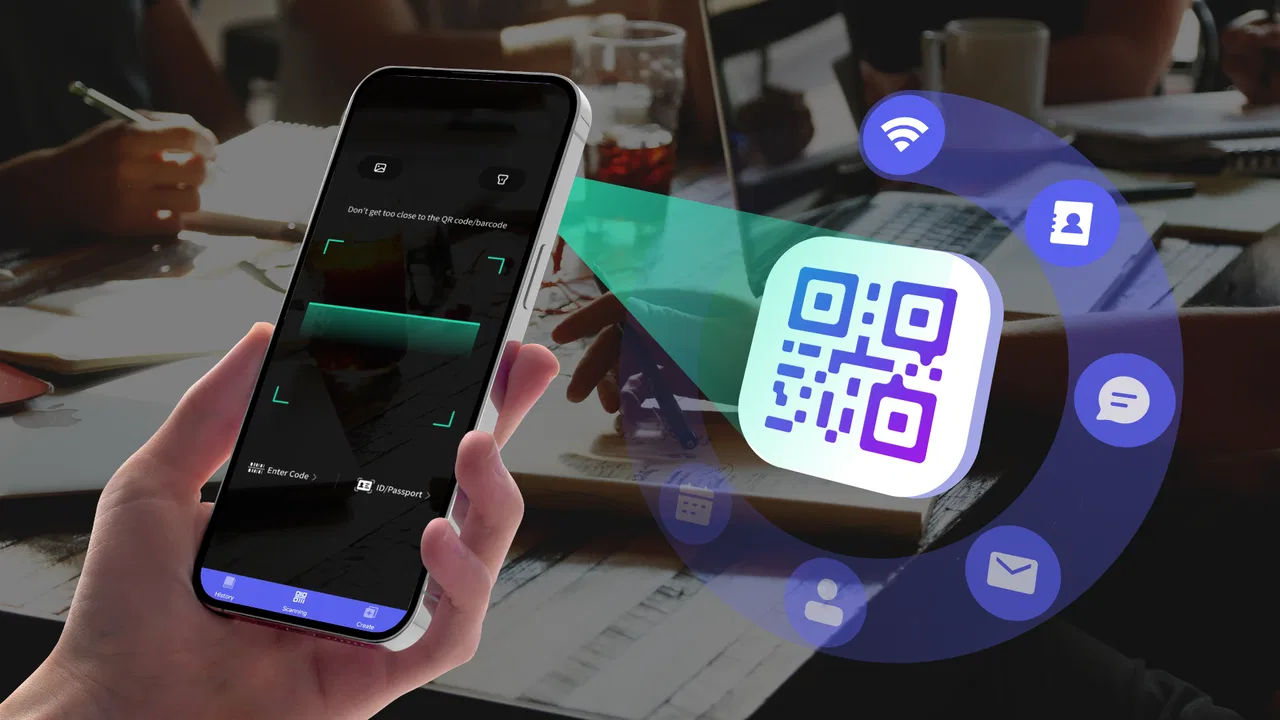
The QR Scanner app provides a range of features including scanning QR codes and barcodes, generating QR codes, saving scan history, and sharing scanned content. It supports multiple formats such as URLs, text, contact information, and Wi-Fi networks, making it a versatile tool for both personal and professional use.
02Is the QR Scanner app free to use?
Yes, the QR Scanner app is free to download and use. However, it may offer in-app purchases or contain ads. These optional purchases can include features like ad removal or additional functionalities, so users should review any in-app offerings before making a purchase decision.
03How secure is the QR Scanner app?
Security is a priority for the QR Scanner app. It does not require unnecessary permissions and ensures that scanned data is not stored or shared without user consent. Users should always download the app from reputable sources like the Google Play Store or Apple App Store to avoid malicious versions.
04Does the QR Scanner app require an internet connection?
The QR Scanner app can operate offline for scanning standard QR codes and barcodes. However, an internet connection may be necessary for certain features like accessing web content from scanned URLs or sharing scanned data online. Users can enjoy basic functionalities without being online.
05Can the QR Scanner app scan codes in low-light conditions?
Yes, the QR Scanner app is designed to work in various lighting conditions, including low-light environments. It often includes a flashlight feature to assist with scanning in darker settings, ensuring that users can reliably scan codes regardless of the ambient light available.
Pros
- Fast scanning speed
- saves time.
- Supports multiple barcode formats.
- Easy-to-use interface for all users.
- History feature to track scanned codes.
- No internet required for scanning.
Cons
- Ads can be intrusive at times.
- Limited customization options.
- Occasional false readings.
- No batch scanning feature.
- Premium features locked behind paywall.

QR Scanner
Gallery